

Creator tools
Understand every shot with Shot Performance and Advanced Analytics
ShotBits now gives creators a clearer way to understand how their content performs, when viewers discover it and what kinds of interactions it generates.
Shot Performance
A private score from 0 to 100 that compares one shot with your usual content.
Advanced Analytics
Detailed private data about views, audience, engagement, countries and traffic sources.
Private by default
Only the owner of the shot can see these creator insights.
What is Shot Performance?
Shot Performance is a simple score designed to answer one important question:
“How is this shot performing compared with my normal content?”
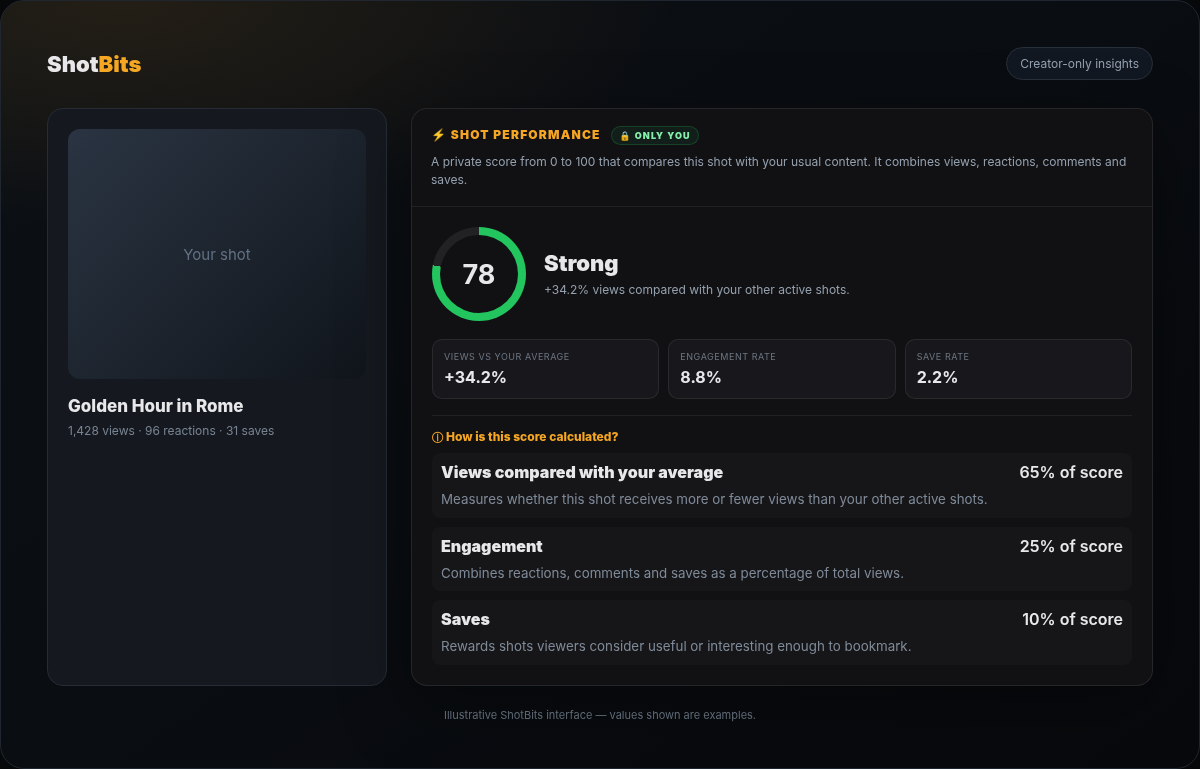
How the score is calculated
The score combines three weighted signals. The exact weights can be configured by the ShotBits administrator.
Views compared with your average
Measures whether this shot receives more or fewer views than your other active shots.
Engagement
Combines reactions, comments and saves as a percentage of the shot's total views.
Saves
Rewards shots that viewers consider valuable or interesting enough to bookmark.
Excellent
Strong
Good
Growing
Needs a boost
Collecting data
These labels make the score easier to understand at a glance. New shots may temporarily show Collecting data until enough information is available.
What is Advanced Analytics?
Advanced Analytics explains what is happening behind the performance score. It focuses only on the selected shot and helps creators understand timing, audience and engagement.
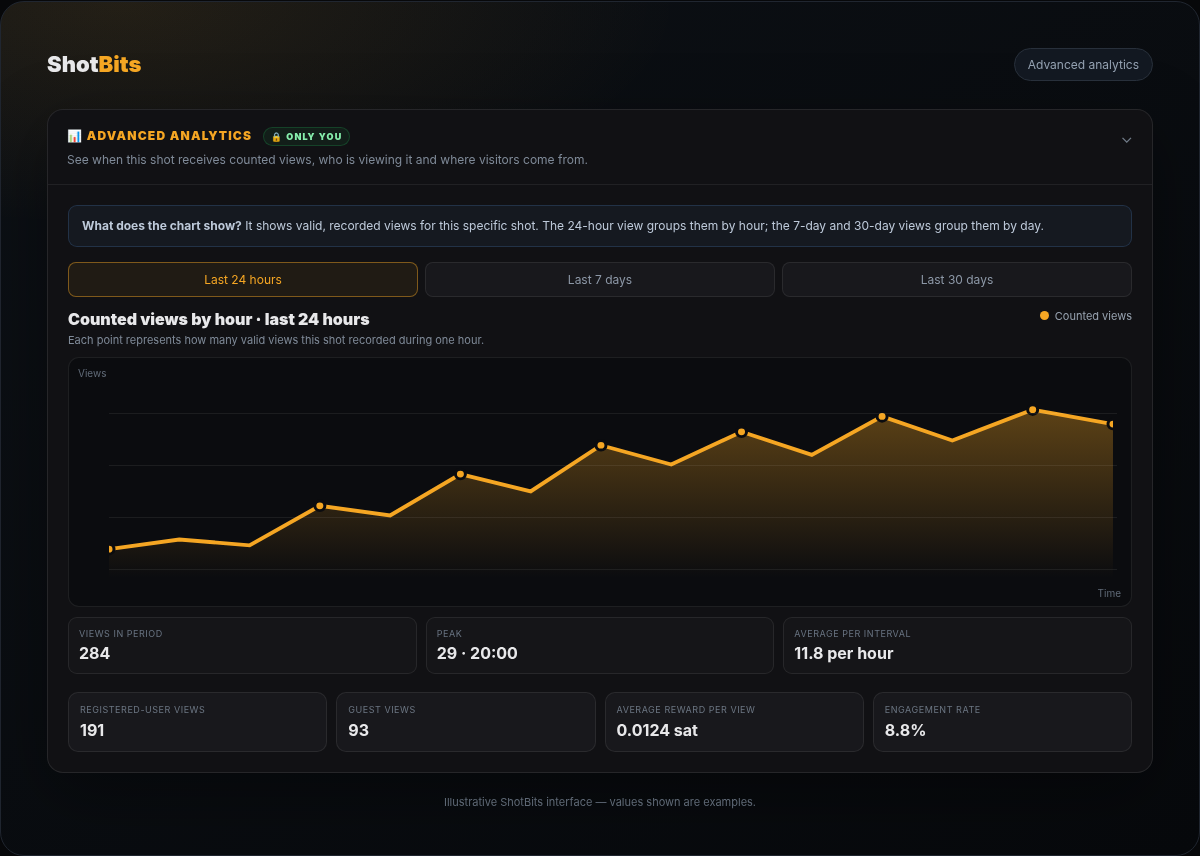
What the chart actually shows
Every point represents the number of valid, recorded views for that shot. In the 24-hour view, data is grouped by hour. In the 7-day and 30-day views, data is grouped by day.
Available periods
Last 24 hours
Last 7 days
Last 30 days
Metrics you can inspect
Views in period
Total valid views recorded during the selected range.
Peak
The hour or day with the highest number of views.
Average per interval
Average views recorded per hour or per day.
Registered and guest views
Shows how much of the audience is signed in or browsing as a guest.
Average reward per view
Average satoshi reward generated by valid recorded views.
Top countries and referrers
Shows where viewers are located and how they reached the shot.
How creators can use these insights
- Compare the shot with your normal performance instead of looking only at its total views.
- Use the chart to identify the hours or days when your audience is most active.
- Check engagement and save rates to understand whether viewers find the shot interesting or useful.
- Review countries and referrers to learn where your audience and traffic are coming from.
- Use the information to improve future titles, descriptions, hashtags and publishing times.
Your analytics remain private
Shot Performance and Advanced Analytics are creator-only tools. Other viewers can see the public shot, reactions and comments, but they cannot access the private score, audience breakdown or traffic information.